

How it works
The HubSpot connector pulls in data from your HubSpot CRM, including:- Tickets - Support tickets with their title, content, associated emails and notes
- Companies - Company records with associated data and relationships
- Deals - Sales opportunities with pipeline information and associated contacts
- Contacts - Contact records with their information and associated activities
Setting up
Authorization
1
Create Private App
Create a Private App Integration (see below).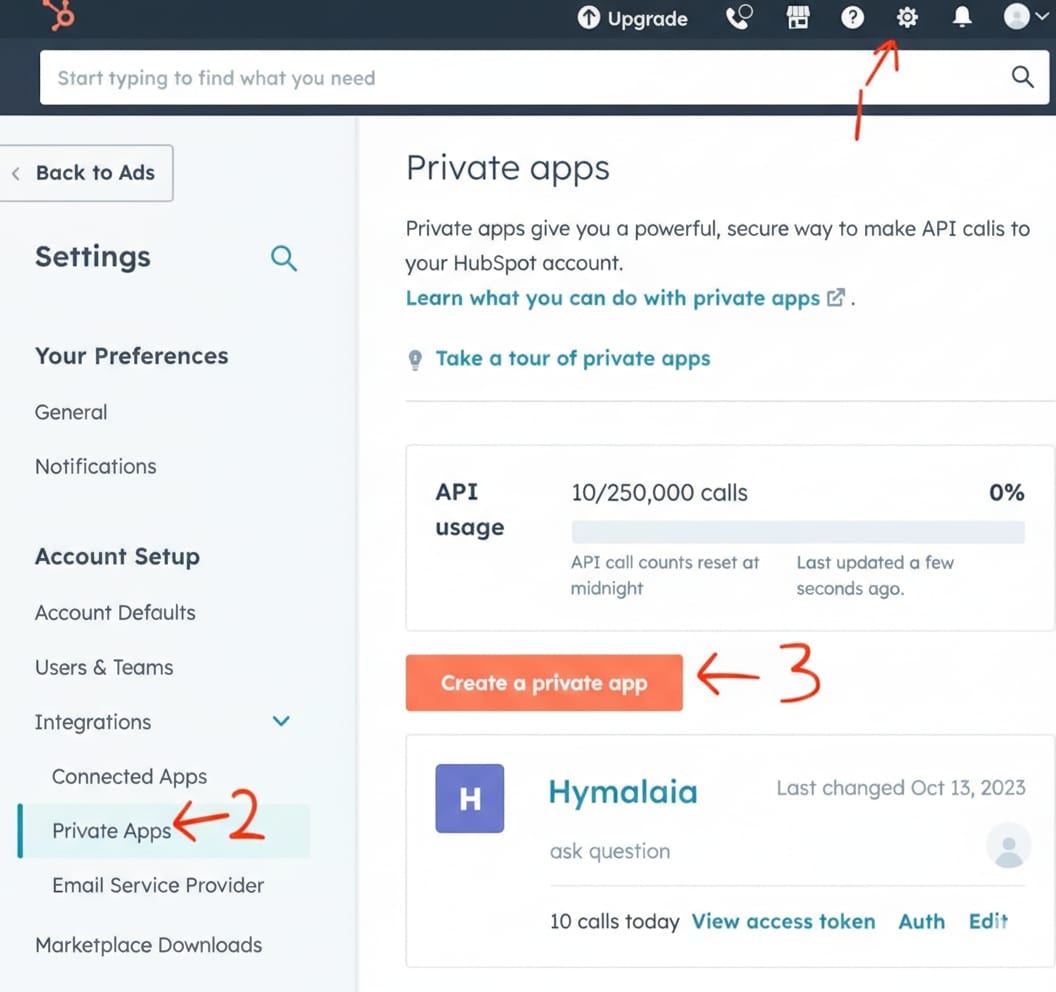
2
Select scopes
Under Scopes (top bar), select the appropriate scopes based on what data you want to index: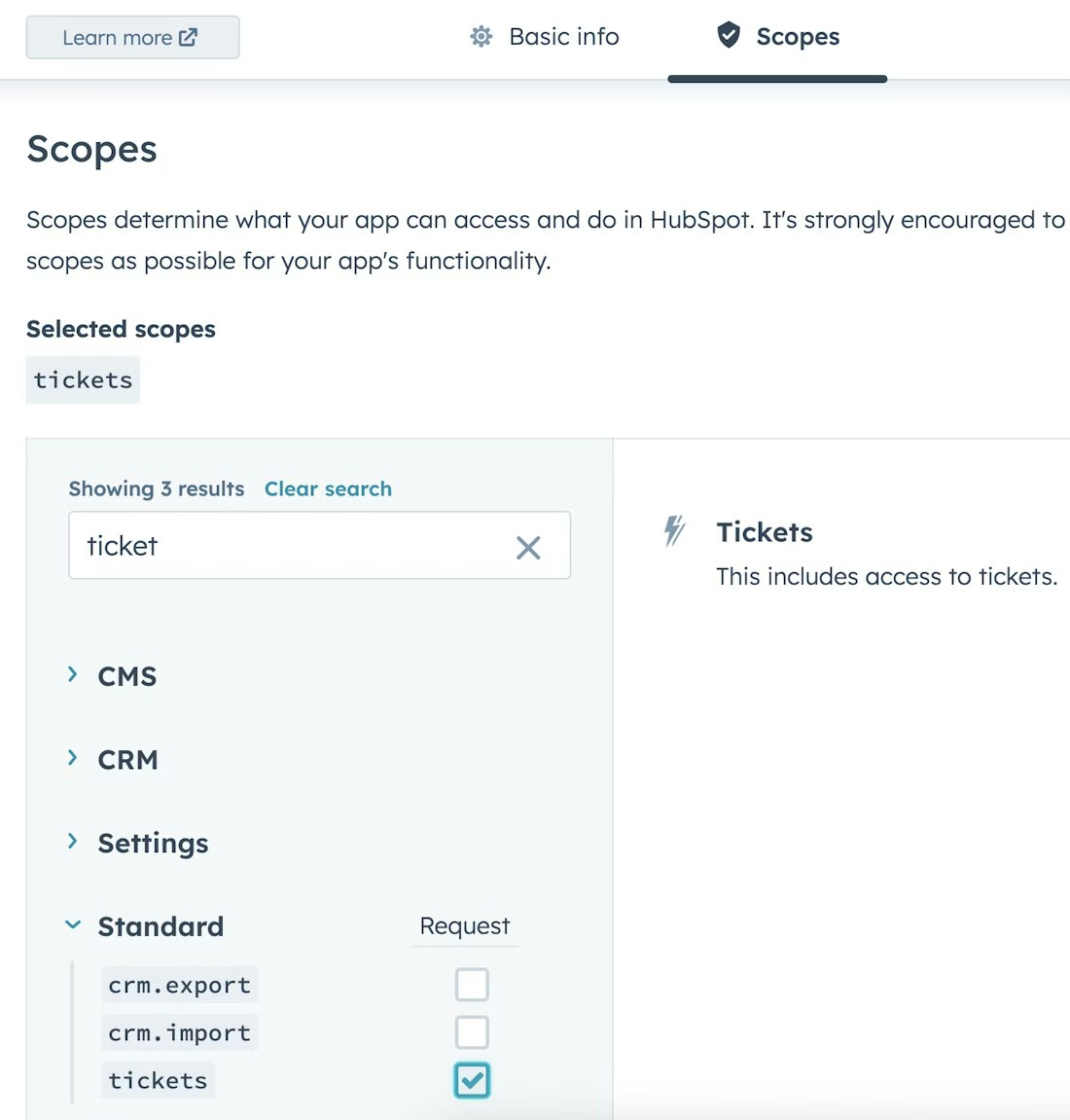
- For Tickets: Select the
Ticketsscope - For Companies: Select the
Companiesscope - For Deals: Select the
Dealsscope - For Contacts: Select the
Contactsscope
3
Copy Access Token
Copy the Access Token that is shown when the App is created.
Indexing
1
Open HubSpot connector
Navigate to the Admin Panel and select the HubSpot Connector
2
Enter Access Token
In Step 1, provide the Access Token from above
3
Choose object types
In Step 2, select which object types you want to index:
- Companies - Index company records and their associated data
- Deals - Index sales opportunities and pipeline information
- Contacts - Index contact records and their activities
- Tickets - Index support tickets and related communications
4
Start indexing
Click
Connect to begin indexing your selected HubSpot data typesMake sure your HubSpot Access Token has the appropriate scopes enabled for the object types you want to index.
The connector will only be able to access data for which you’ve granted the necessary permissions.