
How it works
The Document360 connector will pull in all the articles based on the specified workspace and categories.- Articles can be saved in HTML or Markdown format in Document360.
- Only HTML format is currently supported.
- Articles are updated every 10 minutes.
⚠️ If you need Markdown support, please submit an issue here.
Setting up
Authorization
- Navigate to:
Settings > Knowledge base portal > API tokens - Click Generate
- Enter a Token name
- Select the Request methods allowed for the API key
- Click Generate
- Your Portal ID and API Key will be displayed
Indexing
- Go to the Admin Dashboard
- Select the Document360 Connector
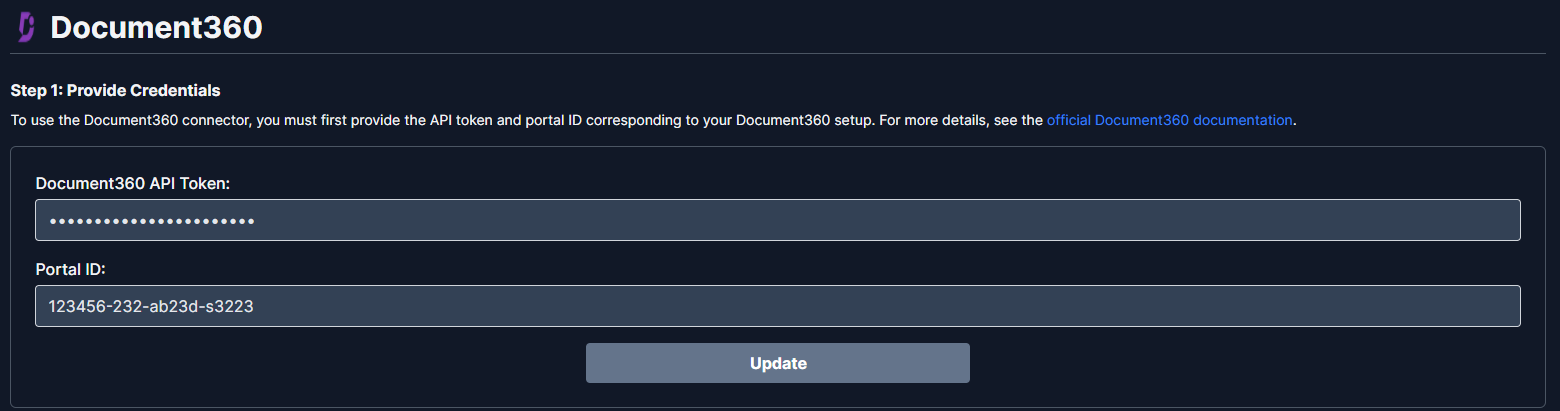
- In Step 1, provide:
- Portal ID
- API Key
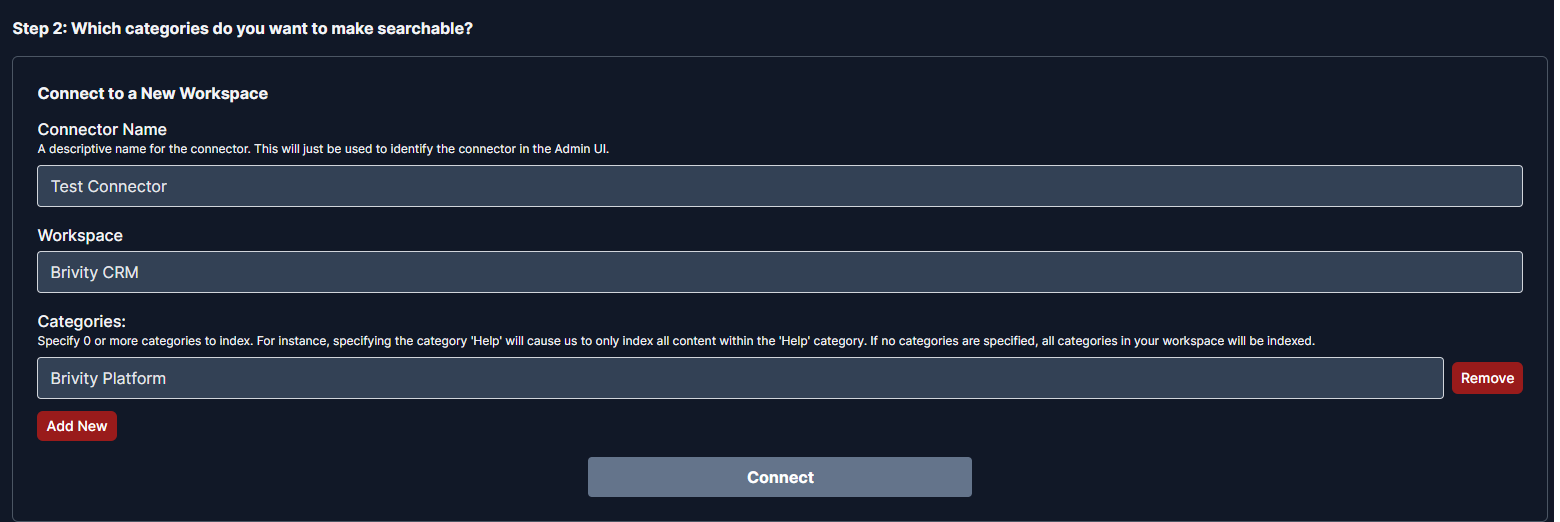
- Enter the Workspace ID
- Choose Categories to index:
- Leave empty to include all categories
- Click Connect to begin indexing