> ## Documentation Index
> Fetch the complete documentation index at: https://docs.hymalaia.com/llms.txt
> Use this file to discover all available pages before exploring further.
# HuggingFace Inference API
> Configure Hymalaia to use HuggingFace Inference APIs
To use HuggingFace Inference APIs with Hymalaia, follow the instructions below.
## 🧾 Prerequisites
You must have a [Pro Account](https://huggingface.co/pricing) with HuggingFace to obtain an API key.
> ⚠️ **Note**: As of **November 2023**, HuggingFace no longer supports very large models (over 10GB) like `LLaMA-2-70B` on the Pro Plan. You’ll need to:
>
> * Use a **dedicated Inference Endpoint** (paid)
> * Or subscribe to an **Enterprise Plan**
>
> The Pro Plan still works with smaller models, but these may yield suboptimal results for Hymalaia.
## 🔑 Get Your Access Token
1. Go to your HuggingFace [user settings](https://huggingface.co/settings/tokens).
2. Copy your **User Access Token** (`HFAccessToken`).
## ⚙️ Set Up Hymalaia with HuggingFace
Refer to your deployment-specific documentation for setting environment variables.
## 🧠 Using LLaMA-2-70B via Inference API
To configure Hymalaia for **next-token generation** using HuggingFace's Inference API:
1. Navigate to the **LLM** page in the Hymalaia Admin Panel.
2. Add a **Custom LLM Provider** with the following identifiers:
```bash theme={null}
HFCustomLLMProvider1
HFCustomLLMProvider2
```

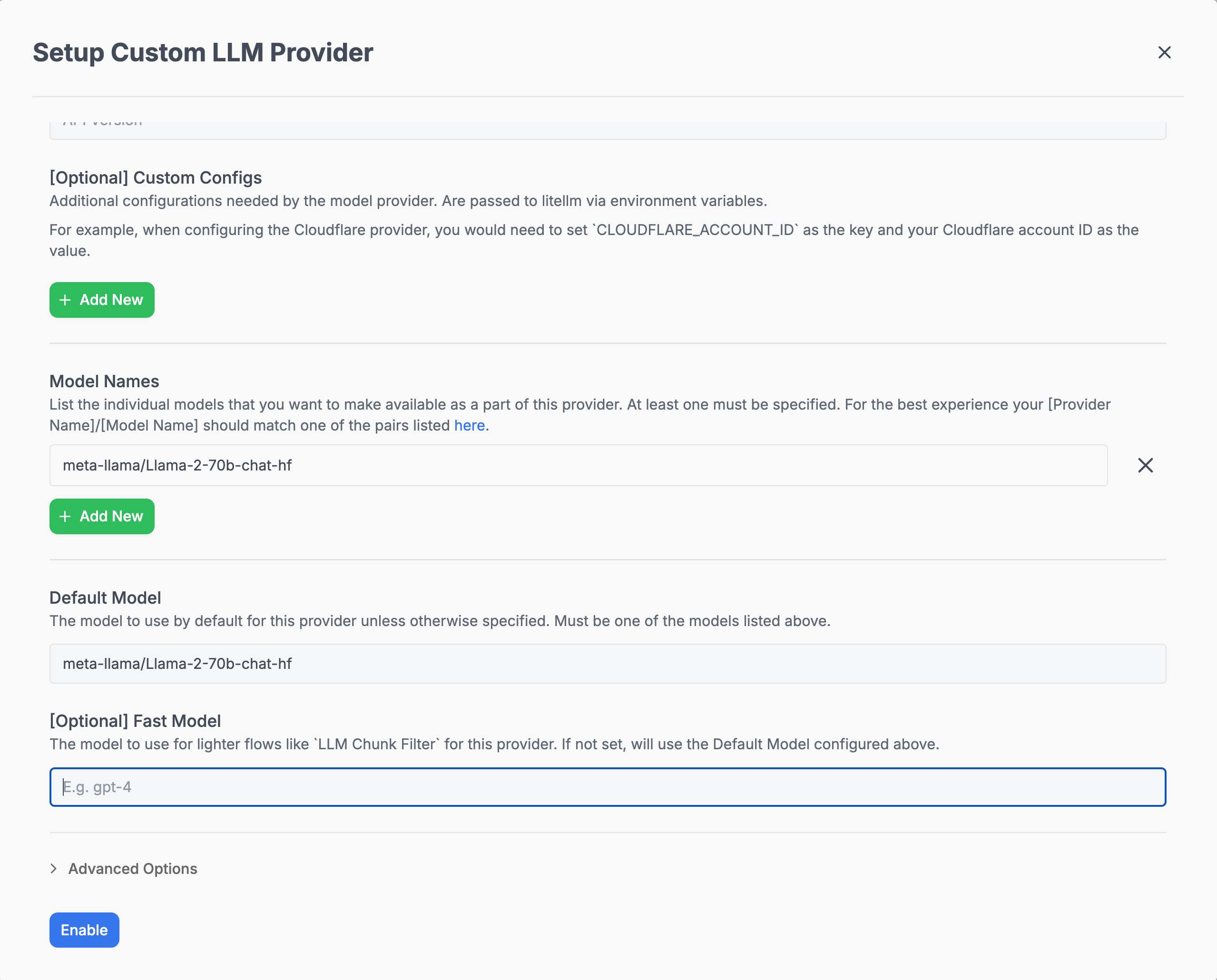 These custom providers allow Hymalaia to route prompt completion requests to the HuggingFace-hosted model endpoint.
***
For more detailed setup and environment configuration examples, refer to the [Model Configs](../model_configs).
These custom providers allow Hymalaia to route prompt completion requests to the HuggingFace-hosted model endpoint.
***
For more detailed setup and environment configuration examples, refer to the [Model Configs](../model_configs).